# 使用requests发送json请求
# JSON请求体构造
payload = ['some': 'data']
r = requests.post(url, json=payload)
# 代码演示
def test_post_json(self):
    payload = {
        "level": 1,
        "name": "seveniruby"
    }
    r = requests.post("https://httpbin.testing-studio.com/post", json=payload)
    print(r.text)
    assert r.status_code == 200
    assert r.json()['json']['level'] == 1
1
2
3
4
5
6
7
8
9
2
3
4
5
6
7
8
9
# 使用requests发送xml请求
import requests

xml="<?xml version='1.0' encoding=utf-8'?>
<a>6</a>"
headers = {'Content-Type': 'application/xml'}
r = requests.post(http://httpbin.org/post', data=xml, headers=headers).text
1
2
3
4
5
6
2
3
4
5
6
# 复杂数据解析
- 数据保存:将复杂的xml或者json请求体保存到文件模板中
- 数据处理
- 使用mustache、freemaker等工具解析
- 简单的字符串替换
- 使用ison、xml、api进行结构化解析数据生成:输出最终结果
- 数据生成: 输出最终结果
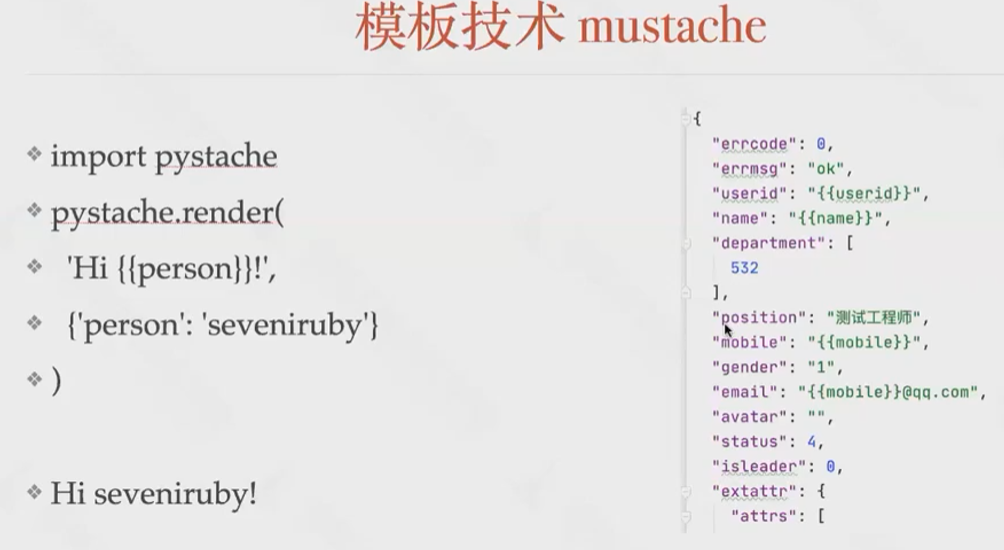
# 模板技术mustache